
Download Nextcloud – Free Secure Data Management & Sync Tool
Overview & Why Choose Nextcloud
Nextcloud is a free, open‑source data management and retrieval server that lets you store, share, and access files from any device—whether it’s a laptop, smartphone, or tablet. Unlike many consumer‑grade cloud services that lock you into proprietary servers, Nextcloud gives you the flexibility to keep your data on the provider’s hosted infrastructure, on your own physical drives, or a hybrid of both. This approach is especially valuable for individuals and organisations that prioritise privacy, compliance, or simply want to avoid vendor lock‑in.
Built on a robust PHP and database foundation, Nextcloud can be extended with hundreds of apps that add collaboration tools, end‑to‑end encryption, file versioning, and even video conferencing. The community‑driven development model ensures regular security updates, transparent code reviews, and a vibrant ecosystem of contributors who constantly improve the platform. For businesses that need a self‑hosted alternative to Dropbox or Google Drive, Nextcloud offers enterprise‑grade features—like LDAP integration, SSO, and granular permission controls—while still being accessible to casual users who just want a reliable way to back up photos or share documents with family.
Its emphasis on security is evident through built‑in two‑factor authentication, brute‑force protection, and detailed audit logs, making it a trustworthy choice for anyone who cares about who can see their data and how it is stored.
Key Features That Set Nextcloud Apart
- Cross‑Platform Sync: Seamless file synchronization across Windows, macOS, Linux, Android, and iOS devices.
- Self‑Hosted Flexibility: Install on your own server, a VPS, or use a trusted third‑party host while retaining full control of encryption keys.
- End‑to‑End Encryption: Optional client‑side encryption ensures that only you can decrypt your files.
- Collaboration Suite: Integrated apps for calendar, contacts, email, document editing (Collabora or OnlyOffice), and real‑time chat.
- Granular Permissions: Share files with read‑only, edit, or upload‑only rights and set expiration dates for links.
- Two‑Factor Authentication (2FA): Support for TOTP, WebAuthn, and SMS‑based 2FA for added login security.
- Extensive App Store: Over 200 community‑maintained apps, ranging from workflow automation to media streaming.
- Audit & Compliance: Detailed activity logs, GDPR‑ready data handling, and integration with external logging services.
- Scalable Architecture: Works equally well for a single‑user home server or a multi‑tenant enterprise deployment.
- Automatic Updates: Built‑in updater that patches security vulnerabilities without manual intervention.
Installation, Usage Guide & Compatibility
Getting Nextcloud up and running is straightforward for anyone with basic server knowledge. The official installation guide offers three primary pathways: a one‑click installer for popular web hosts, a Docker image for containerised environments, and a manual installation on a LAMP/LEMP stack.
Step‑by‑Step Installation (Manual LAMP Example)
- Prepare the Server: Ensure you have Apache/Nginx, PHP 8.0+, and a supported database (MySQL/MariaDB or PostgreSQL). Allocate at least 2 GB of RAM for modest workloads.
- Download the Package: Use
wget https://download.nextcloud.com/server/releases/nextcloud‑26.0.0.zipand unzip into your web root. - Create a Database: Run
CREATE DATABASE nextcloud CHARACTER SET utf8mb4 COLLATE utf8mb4_general_ci;and a dedicated user with full privileges. - Configure Web Server: Set the document root to the
nextcloudfolder and enable .htaccess or appropriate rewrite rules for clean URLs. - Run the Web Installer: Visit
https://your‑domain.com/nextcloud, enter the admin credentials, database details, and choose a data folder outside the web root for added security. - Finalize & Secure: After installation, enable HTTPS with Let’s Encrypt, disable directory listings, and schedule a daily cron job (
php -f /path/to/nextcloud/cron.php) to keep background tasks running.
For users who prefer a hassle‑free experience, the Docker approach requires a single command: docker run -d -p 8080:80 -v nextcloud:/var/www/html nextcloud. The container includes all dependencies and auto‑updates, making it ideal for developers or test environments.
Compatibility: Nextcloud runs on virtually any modern operating system—Windows Server (via WSL), macOS, Linux distributions (Ubuntu, Debian, CentOS, Fedora), and all major mobile platforms (Android 8+, iOS 12+). Desktop sync clients are available for Windows, macOS, and Linux, while mobile apps provide on‑the‑go access and automatic camera uploads.
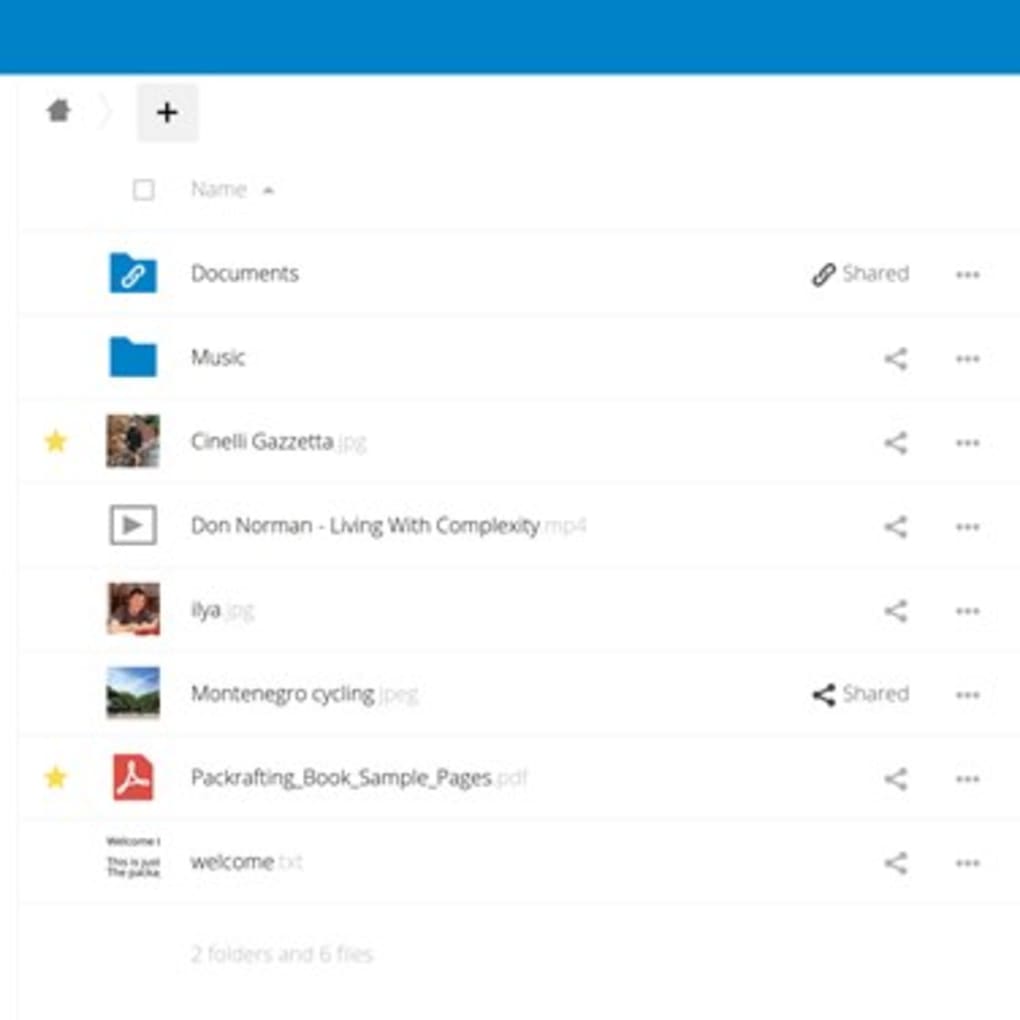
Once installed, the web UI guides you through adding external storage (Google Drive, Amazon S3, SMB shares), configuring user groups, and installing additional apps from the built‑in App Store. The intuitive drag‑and‑drop interface mirrors familiar cloud services, so end users can start uploading files within minutes.
Pros, Cons, Frequently Asked Questions & Final Verdict
Pros
- Completely free and open‑source—no hidden subscription fees.
- Full control over data location and encryption keys.
- Rich ecosystem of apps for collaboration, security, and automation.
- Cross‑platform clients ensure seamless syncing on all devices.
- Strong community support with regular security patches.
Cons
- Initial setup can be technical for users without server experience.
- Performance depends on underlying hardware and network bandwidth.
- Advanced features (e.g., enterprise SSO, audit log integration) may require paid support plans.
- Mobile apps occasionally lag behind the web UI in feature parity.
FAQ – Answers from the Nextcloud Experts
Is Nextcloud truly free for personal use?
Yes. The core Nextcloud server, desktop clients, and mobile apps are released under the AGPL‑3.0 license and can be used without any licensing cost. Optional enterprise services are available for organizations that need premium support.
Can I sync files between Windows and Android simultaneously?
Absolutely. The Nextcloud desktop client for Windows and the Android app both communicate with the same server, ensuring real‑time synchronization across platforms. Conflicts are handled with versioning, so no data is lost.
Do I need a dedicated server to run Nextcloud?
A dedicated server is not mandatory. Small installations can run on a Raspberry Pi, a shared VPS, or even a Docker container on a personal laptop. The hardware requirements scale with the number of users and the amount of data stored.
How does Nextcloud protect my data from unauthorized access?
Security is built‑in: TLS/SSL encryption for data in transit, optional client‑side end‑to‑end encryption, two‑factor authentication, brute‑force protection, and detailed audit logs. Administrators can also enforce password policies and restrict IP ranges.
Can Nextcloud integrate with existing corporate directories?
Yes. Nextcloud supports LDAP/Active Directory, SAML, and OAuth2 for single sign‑on, allowing seamless user provisioning and group management within corporate environments.
Final Verdict & Call to Action
Nextcloud stands out as a versatile, privacy‑first alternative to mainstream cloud services. Its open‑source nature, combined with a powerful suite of collaboration tools, makes it suitable for everything from a family photo archive to a multinational enterprise’s file‑sharing backbone. While the initial deployment may require a modest learning curve, the long‑term benefits—complete data sovereignty, robust security, and a thriving community—far outweigh the setup effort. If you value control over your digital assets and want a solution that grows with your needs, Nextcloud is the logical choice.
Ready to take back control of your files? Download Nextcloud now, follow the quick‑start guide, and start syncing securely across all your devices today.







